Level up your research
Save time, stay organized, and write faster with EndNote 2025. Trust your ideas to the leading reference and citation management software.
Discover new, intelligent ways to power your research with EndNote 2025
Choose a reference manager with the right tools to help you achieve your research goals. EndNote 2025 introduces a suite of new features designed to help you boost productivity, stay accurate and take your work further. The AI-powered EndNote Research Assistant offers several ways to interact with documents and unlock knowledge in your library. Additional EndNote 2025 features help you find new research sources and cite faster than ever.
EndNote 2025 enables researchers to...
- Save valuable time with EndNote Research Assistant
- Discover more research relevant to a project
- Stay accurate with easy-to-use reference update tools
- Publish faster about where to publish

EndNote 2025 key features
NEW AI features available only with EndNote 2025. The new EndNote 2025 now includes AI features to enhance your research discovery and writing process, helping you save time by quickly digesting key information from documents and papers, generating structured outlines from paper topics, and assisting with the publishing process.
EndNote Research Assistant
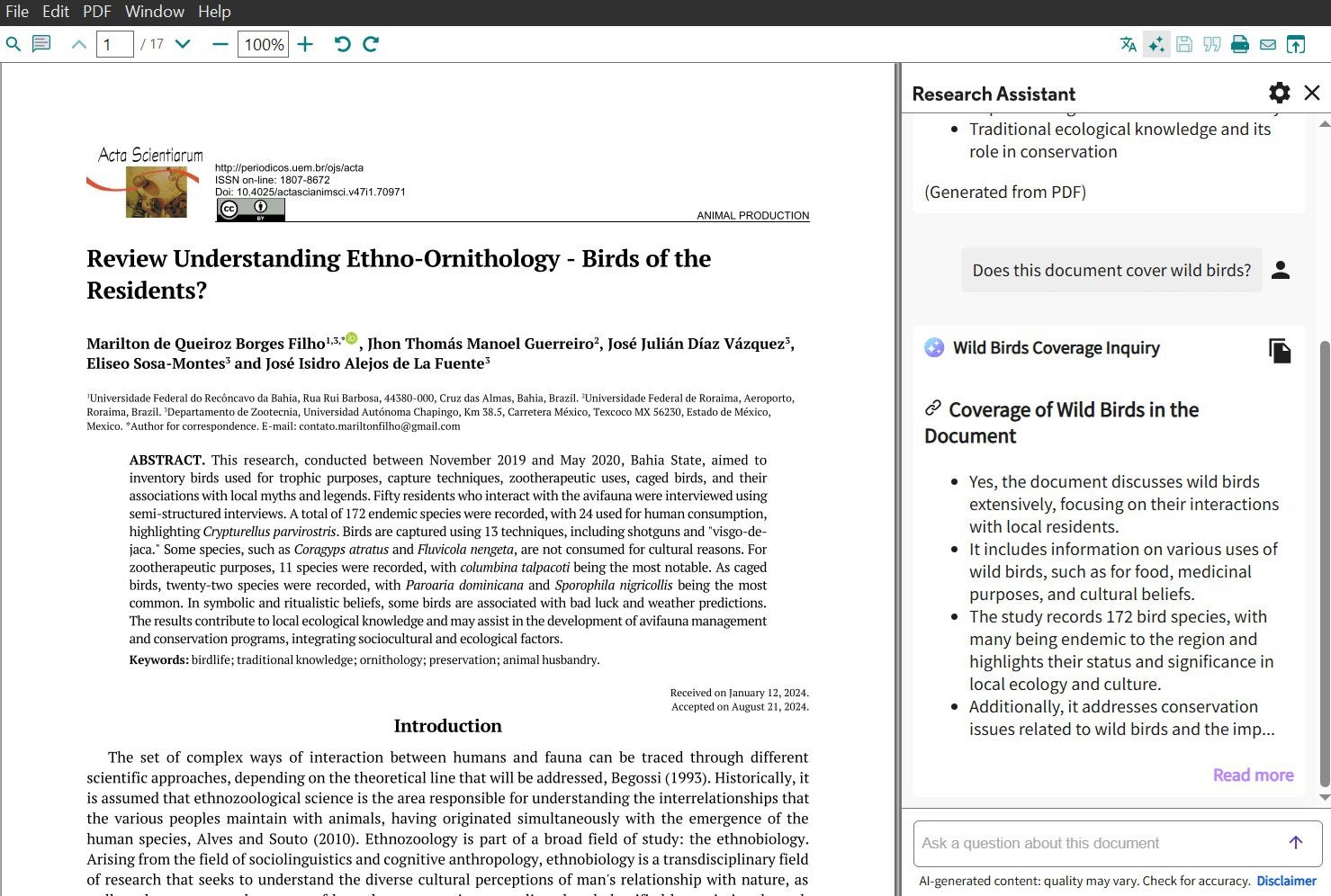
Chat with your document: Ask questions in plain language and AI delivers instant answers sourced directly from the paper for greater accuracy.
Summarize research: Identify the main points of a document with AI-enabled Key Takeaways or summarize selected sections of text.
Translate on the spot: Break through language barriers with built-in translation. Translate a full PDF or selected sections of text.
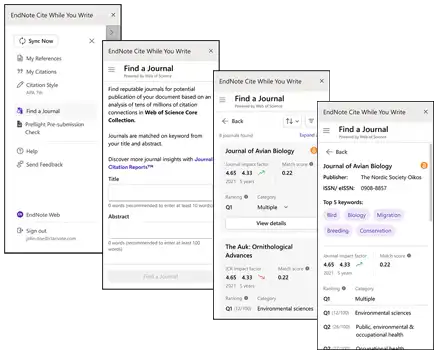
Find a Journal
EndNote’s Find a Journal is an enhanced machine-learning publishing tool available directly in the industry-leading Cite While You Write plugin. Get help finding the best journal match for your work using key elements of your manuscript.
More updated citation tools and features.
EndNote 2025 includes several additional enhancements designed to streamline your research and writing process further.
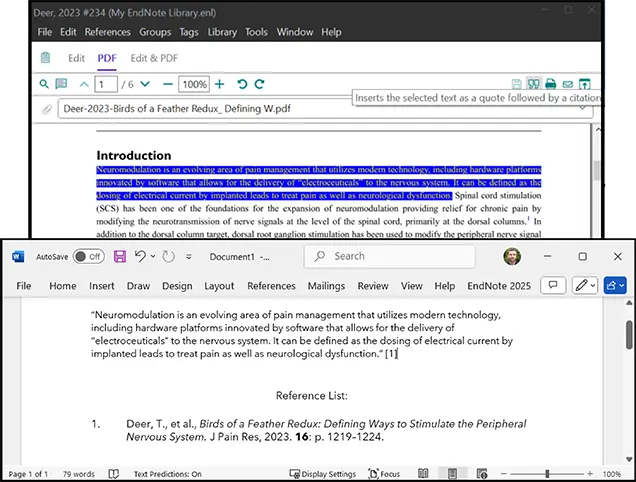
Cite from PDF
Efficiency and usability are key when writing a research paper. EndNote 2025 lets you quickly insert a highlighted quote from a PDF and its corresponding citation into your document with a click of a button.
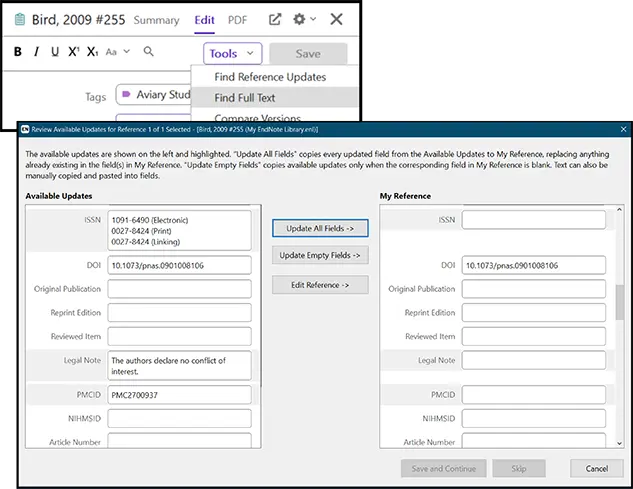
Find Reference Updates and Find Full-Text improvements
Enhance the credibility and reliability of your work by retrieving full-text articles and updating your reference details, ensuring references are correct and complete.
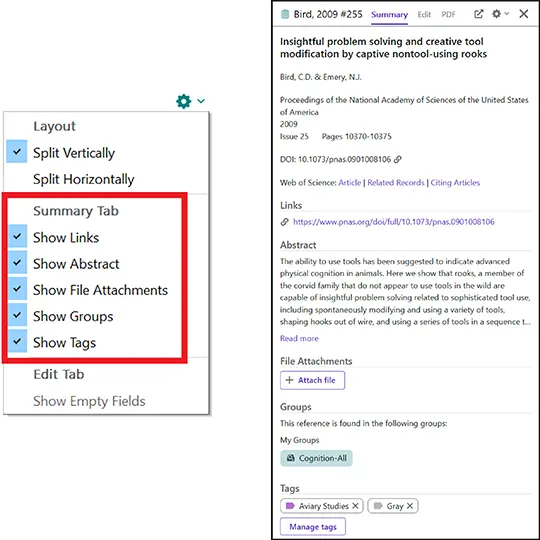
Summary panel redesign
Easily see the important details of each article in an easy-to-read format with an organized summary of your records.
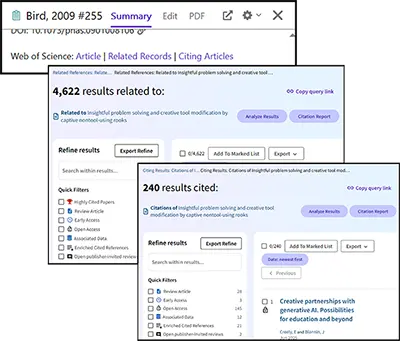
Web of Science citing articles and related records
Web of Science is the world’s most trusted citation database. With EndNote 2025, you can curate a more comprehensive reference library by viewing articles highly relevant to your work and finding papers that have cited your references.

EndNote desktop software is compatible with both Windows and Mac computers.

Need EndNote for your research team or academic institution?
Your research matters. EndNote is the leading reference management solution for universities and organizations worldwide. Learn why.
EndNote for Universities & Libraries
EndNote for Organisations & Government
Request a demo. Call us +1-888-418-1937